
第7回 文字版コスコマンを完成させよう
第7回 文字版コスコマンを完成させよう
前回までで、コスコマンは壁に止まり、ゴールを消さずに歩き、荷物を押せるようになりました。
今回は、文字版をゲームとして最後まで遊べるようにします。
今回できるようになること
- すべての荷物をゴールへ置くとクリアになる
- クリア後にENTERを押すと、次のステージへ進む
- Rを押すと、現在のステージを開始時の配置で読み込み直す
- 3つのステージを順番に遊べる
- 最後のステージをクリアすると、最初のステージを読み込む
ゲーム中の処理は、次の順番で行います。
プレイ中
    ↓
Rが押された? ── YES → 現在のステージを読み込み直す
    ↓ NO
移動キーが押された?
    ↓ YES
コスコマンまたは荷物を動かす
    ↓
通常の荷物LUGGが残っている?
    ↓ NO
クリア状態にする
    ↓
ENTERが押されたら次のステージを読み込む
1.クリア判定を作ろう
何を調べるのか
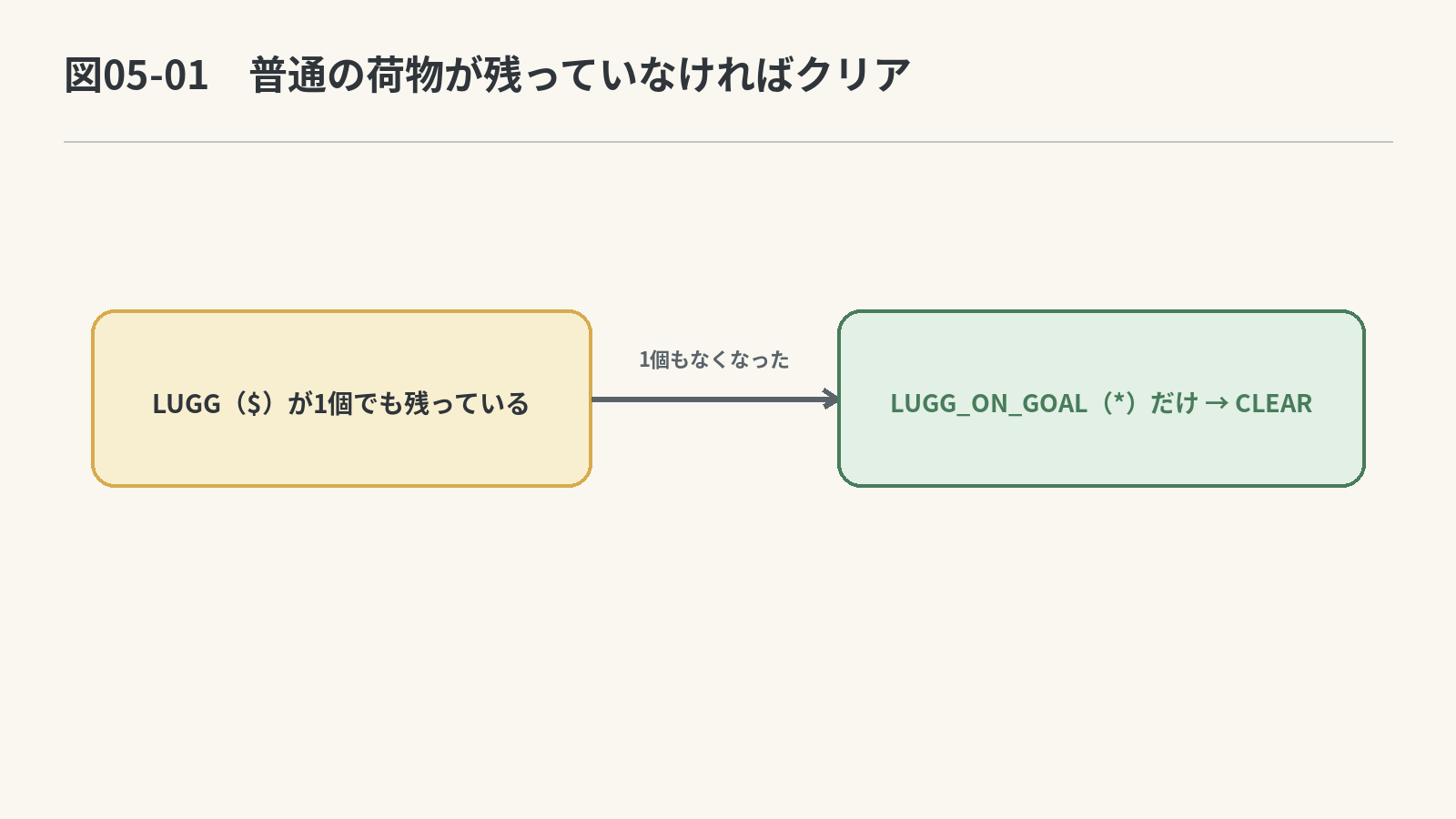
すべての荷物をゴールへ置けばクリアです。
普通の床にある荷物はLUGG、ゴール上にある荷物はLUGG_ON_GOALとしてMapへ入っています。
そのため、Map全体を調べて、LUGGが残っているかを確認します。
LUGGが1個でも見つかった
    → まだクリアしていないので0を返す

最後までLUGGが見つからなかった
    → すべての荷物がゴール上にあるので1を返す
関数宣言が並んでいる場所で、MoveObject()の宣言の下へ次を追加します。
int CheckClear(Map* map);
完成条件
- Mapの全マスを二重ループで調べる
LUGGを見つけたら、その時点で0を返す- 全マスを調べ終わったら1を返す
関数本体は、MoveObject()の定義が終わったあとへ追加します。先に処理の順番をコメントで確かめてから、次の空欄を埋めてください。
int CheckClear(Map* map)
{
    // ステージの上から下まで、すべての行を調べる
    for (int y = 0; y < ____________________; y++)
    {
        // 1行の左から右まで、すべてのマスを調べる
        for (int x = 0; x < ____________________; x++)
        {
            // 今調べているマスが、ゴールへ入っていない荷物か調べる
            if (______________________________ == ____________________)
            {
                // 普通の荷物が残っているので、未クリアを返す
                return ____________________;
            }
        }
    }

    // 普通の荷物が1個も見つからなかったので、クリアを返す
    return ____________________;
}
ヒント
縦の繰り返し回数は
map->stage_height、横の繰り返し回数はmap->stage_widthです。各マスはmap->Dat[y][x]で調べられます。
模範解答を見る
int CheckClear(Map* map)
{
    for (int y = 0; y < map->stage_height; y++)
    {
        for (int x = 0; x < map->stage_width; x++)
        {
            if (map->Dat[y][x] == LUGG)
            {
                return 0;
            }
        }
    }

    return 1;
}
2.ステージを3つ用意しよう
これまでは、1つのステージをSTART_STAGEへ入れていました。
const Map START_STAGE = { ... };
これを、3つのステージを持つ配列STAGESへ変更します。
最初に、ステージ数を定義します。MAX_STAGE_HEIGHTの定義の下へ追加してください。
#define STAGE_COUNT 3
次にSTART_STAGEを削除し、次のSTAGESへ置き換えます。
3ステージ分のデータを見る
const Map STAGES[STAGE_COUNT] = {
    {
        10, 7,
        {
            { 1, 1, 1, 1, 1, 1, 1, 1, 1, 1 },
            { 1, 0, 0, 0, 0, 0, 0, 0, 0, 1 },
            { 1, 0, 0, 0, 3, 0, 0, 0, 0, 1 },
            { 1, 0, 0, 0, 2, 0, 0, 0, 0, 1 },
            { 1, 0, 0, 0, 4, 0, 0, 0, 0, 1 },
            { 1, 0, 0, 0, 0, 0, 0, 0, 0, 1 },
            { 1, 1, 1, 1, 1, 1, 1, 1, 1, 1 }
        }
    },
    {
        10, 7,
        {
            { 1, 1, 1, 1, 1, 1, 1, 1, 1, 1 },
            { 1, 0, 0, 0, 1, 0, 0, 0, 0, 1 },
            { 1, 0, 2, 0, 1, 0, 3, 0, 0, 1 },
            { 1, 0, 0, 2, 0, 0, 3, 0, 0, 1 },
            { 1, 0, 0, 0, 1, 1, 0, 0, 0, 1 },
            { 1, 0, 4, 0, 0, 0, 0, 0, 0, 1 },
            { 1, 1, 1, 1, 1, 1, 1, 1, 1, 1 }
        }
    },
    {
        10, 7,
        {
            { 1, 1, 1, 1, 1, 1, 1, 1, 1, 1 },
            { 1, 1, 1, 1, 0, 0, 1, 0, 4, 1 },
            { 1, 1, 1, 0, 0, 0, 1, 0, 0, 1 },
            { 1, 1, 1, 2, 0, 2, 0, 2, 0, 1 },
            { 1, 1, 1, 0, 2, 2, 1, 0, 0, 1 },
            { 1, 3, 3, 3, 3, 3, 0, 0, 1, 1 },
            { 1, 1, 1, 1, 1, 1, 1, 1, 1, 1 }
        }
    }
};
各ステージは、配列の番号で選べます。
STAGES[0] → 1つ目のステージ
STAGES[1] → 2つ目のステージ
STAGES[2] → 3つ目のステージ
3.番号で選んだステージを読み込もう
LoadStage()へステージ番号を渡し、STAGESから選んだMapをcurrentMapへコピーできるようにします。
関数宣言を次の形へ変更します。
void LoadStage(Map* map, int stageNumber);
完成条件
STAGES[stageNumber]の横幅をコピーするSTAGES[stageNumber]の高さをコピーする- Mapの全マスを
map->Datへコピーする
LoadStage()の関数本体を次の形へ変更し、空欄を埋めてください。
void LoadStage(Map* map, int stageNumber)
{
    // 選ばれたステージの横幅を、プレイ中のMapへコピーする
    map->stage_width = ________________________________;

    // 選ばれたステージの高さを、プレイ中のMapへコピーする
    map->stage_height = ________________________________;

    for (int y = 0; y < map->stage_height; y++)
    {
        for (int x = 0; x < map->stage_width; x++)
        {
            // 選ばれたステージの同じマスを、プレイ中のMapへコピーする
            map->Dat[y][x] = ________________________________;
        }
    }
}
ヒント
選ばれたステージは
STAGES[stageNumber]です。横幅、高さ、各マスの値を同じ場所へコピーします。
模範解答を見る
void LoadStage(Map* map, int stageNumber)
{
    map->stage_width = STAGES[stageNumber].stage_width;
    map->stage_height = STAGES[stageNumber].stage_height;

    for (int y = 0; y < map->stage_height; y++)
    {
        for (int x = 0; x < map->stage_width; x++)
        {
            map->Dat[y][x] = STAGES[stageNumber].Dat[y][x];
        }
    }
}
WinMain()の先頭にある変数宣言へ、現在選ばれているステージ番号を表すcurrentStageを追加します。Map currentMap;とint fontHandle;の間を、次の形にしてください。
Map currentMap;

// 配列の0番目、つまり1つ目のステージから始める
int currentStage = ____________________;

int fontHandle;
最初のステージ読み込みにもcurrentStageを渡します。
// STAGES[currentStage]をcurrentMapへコピーする
LoadStage(¤tMap, ____________________);
模範解答を見る
int currentStage = 0;
LoadStage(¤tMap, currentStage);
実行して確認
currentStageへ1を代入すると2つ目、2を代入すると3つ目のステージが表示されます。確認後は、開始するステージ番号として0を代入してください。
4.クリア状態を記録しよう
クリアした瞬間に次のステージへ切り替えると、クリアした盤面とCLEAR!を表示できません。
そこで、プレイ中かクリア中かをclearFlagへ記録します。
clearFlagが0 → プレイ中
clearFlagが1 → クリア中
WinMain()の変数を次の形にします。
Map currentMap;
int currentStage = 0;

// ゲーム開始時はプレイ中なので0にする
int clearFlag = ____________________;

int fontHandle;
模範解答を見る
int clearFlag = 0;
5.ENTERとRもIsKeyPressed()で調べよう
第3回で作ったIsKeyPressed()は、引数で渡したキーが押された瞬間だけ1を返します。
WASDだけでなく、ENTERとRにも同じ関数を使えます。
// ENTERが押された瞬間だけ1になる
IsKeyPressed(KEY_INPUT_RETURN)

// Rが押された瞬間だけ1になる
IsKeyPressed(KEY_INPUT_R)
入力判定の仕組みはIsKeyPressed()の中にすでにあるため、ENTER用とR用に同じ処理を作り直す必要はありません。
次の更新処理では、この2つを直接使います。
6.ゲームの状態をUpdateGame()で変更しよう
UpdateGame()の役割
UpdateGame()は、キー入力に応じてゲームの状態を変更します。
- クリア中なら、ENTERで次のステージを読み込む
- プレイ中にRが押されたら、現在のステージを読み込み直す
- 移動キーが押されたら、コスコマンまたは荷物を動かす
- 移動後にクリア条件を満たしたら、
clearFlagを1にする
関数宣言が並んでいる場所で、CheckClear()の宣言の下へ次を追加します。
void UpdateGame(Map* map, int* currentStage, int* clearFlag);
currentStageとclearFlagは、WinMain()にある値を書き換えるため、ポインタで受け取ります。
*currentStage → WinMain()のcurrentStage
*clearFlag    → WinMain()のclearFlag
ポインタの指す整数を1増やすときは、(*currentStage)++と書きます。*clearFlag = 0;や*clearFlag = 1;も、WinMain()にあるclearFlagを書き換える式です。
処理する順番
クリア中?
    ↓ YES
ENTERが押されたら次のステージを読み込む
    ↓
そのフレームの処理を終了

プレイ中
    ↓
Rが押された?
    ↓ YES
現在のステージを読み込み直して処理を終了

Rが押されていない
    ↓
移動キーを調べる
    ↓
動けた場合だけクリア判定を行う
完成条件
- クリア中はコスコマンを動かさない
- ENTERが押されたらステージ番号を1増やす
- ステージ番号が
STAGE_COUNT以上になったら0にする - 次のステージを読み込み、
clearFlagを0にする - プレイ中にRが押されたら、現在のステージを読み込み直す
- 移動できたあとに
CheckClear()が1なら、clearFlagを1にする
関数本体は、CheckClear()の定義が終わったあとへ追加します。上の順番と各行のコメントを照らし合わせて、次の空欄を埋めてください。
void UpdateGame(Map* map, int* currentStage, int* clearFlag)
{
    // クリア中の処理
    if (*clearFlag)
    {
        // ENTERが押された瞬間か調べる
        if (IsKeyPressed(____________________))
        {
            // 次のステージ番号にする
            (____________________)++;

            // ステージ番号が、用意したステージ数以上になったか調べる
            if (*currentStage >= ____________________)
            {
                // 配列の0番目、つまり1つ目のステージを選ぶ
                *currentStage = ____________________;
            }

            // 選ばれたステージをプレイ中のMapへ読み込む
            LoadStage(map, ____________________);

            // 次のステージではプレイ中にする
            *clearFlag = ____________________;
        }

        // クリア中は、この下にある移動処理を行わない
        return;
    }

    // Rが押された瞬間か調べる
    if (IsKeyPressed(____________________))
    {
        // STAGES[*currentStage]をプレイ中のMapへ読み込む
        LoadStage(map, ____________________);
        return;
    }

    // WASDのどれが押されたか調べる
    Direction dir = GetDirection();

    if (dir != DIR_NONE)
    {
        // コスコマンまたは荷物を動かす
        MoveResult result = MoveObject(dir, map);

        // 実際に動けて、通常の荷物が残っていなければクリア
        if (result != MOVE_NONE && ________________________________)
        {
            // クリア中にする
            *clearFlag = ____________________;
        }
    }
}
ヒント
ENTERは
KEY_INPUT_RETURN、RはKEY_INPUT_Rです。ステージ数はSTAGE_COUNTです。クリア判定にはCheckClear(map)を使います。
模範解答を見る
void UpdateGame(Map* map, int* currentStage, int* clearFlag)
{
    if (*clearFlag)
    {
        if (IsKeyPressed(KEY_INPUT_RETURN))
        {
            (*currentStage)++;

            if (*currentStage >= STAGE_COUNT)
            {
                *currentStage = 0;
            }

            LoadStage(map, *currentStage);
            *clearFlag = 0;
        }

        return;
    }

    if (IsKeyPressed(KEY_INPUT_R))
    {
        LoadStage(map, *currentStage);
        return;
    }

    Direction dir = GetDirection();

    if (dir != DIR_NONE)
    {
        MoveResult result = MoveObject(dir, map);

        if (result != MOVE_NONE && CheckClear(map))
        {
            *clearFlag = 1;
        }
    }
}
7.現在のゲーム状態をDrawGame()で表示しよう
DrawGame()の役割
DrawGame()は、現在のゲーム状態を画面へ表示します。この関数では、Mapやステージ番号、クリア状態を書き換えません。
- 現在のステージ番号を表示する
- Rでリトライできることを表示する
- プレイ中のMapを表示する
- クリア中なら
CLEAR!とENTERの案内を表示する
関数宣言が並んでいる場所で、UpdateGame()の宣言の下へ次を追加します。
void DrawGame(Map* map, int currentStage, int clearFlag, int fontHandle);
完成条件
DrawStageText()へMapとフォントハンドルを渡すclearFlagが1のときだけクリア表示を描く- ゲーム状態を変更する関数を呼ばない
関数本体は、UpdateGame()の定義が終わったあとへ追加します。次の空欄を埋めてください。
void DrawGame(Map* map, int currentStage, int clearFlag, int fontHandle)
{
    // 画面上では1から数えるため、currentStageへ1を足して表示する
    DrawFormatString(24, 20, GetColor(255, 255, 255),
        "STAGE %d / %d", currentStage + 1, STAGE_COUNT);

    // 操作方法を表示する
    DrawString(300, 20, "WASD : MOVE    R : RETRY", GetColor(200, 200, 200));

    // 現在のプレイ中Mapを文字で表示する
    ________________________________;

    // クリア中だけ、クリア表示と次ステージの案内を表示する
    if (clearFlag)
    {
        DrawString(250, 360, "CLEAR!", GetColor(255, 220, 80));
        DrawString(185, 405, "PRESS ENTER : NEXT STAGE", GetColor(255, 255, 255));
    }
}
ヒント
Mapを文字で表示する関数は
DrawStageText()です。引数はmapとfontHandleです。
模範解答を見る
DrawStageText(map, fontHandle);
8.WinMain()から更新と表示を呼び出そう
ゲームループでは、最初にゲーム状態を変更し、その変更後の状態を画面へ表示します。
UpdateGame()でゲーム状態を変更する
        ↓
DrawGame()で現在の状態を表示する
完成条件
UpdateGame()へcurrentMap、currentStage、clearFlagのアドレスを渡すDrawGame()へ表示に必要な4つの値を渡す- 更新してから表示する順番にする
第6回のゲームループにあったGetDirection()、MoveObject()、DrawStageText()の呼び出しは、これからUpdateGame()とDrawGame()が担当します。while (ProcessMessage() == 0)から対応する閉じかっこまでを次の形へ置き換え、空欄を埋めてください。
while (ProcessMessage() == 0)
{
    ClearDrawScreen();

    // 入力に応じて、移動・クリア・ステージ切り替えを処理する
    UpdateGame(____________________, ____________________, ____________________);

    // 更新後のステージ番号、Map、クリア状態を表示する
    DrawGame(____________________, ____________________, ____________________, ____________________);

    ScreenFlip();
}
ヒント
UpdateGame()はcurrentStageとclearFlagを書き換えるため、&を付けて渡します。DrawGame()は表示するだけなので、ステージ番号とクリア状態は値のまま渡します。
模範解答を見る
UpdateGame(¤tMap, ¤tStage, &clearFlag);
DrawGame(¤tMap, currentStage, clearFlag, fontHandle);
9.文字版を最後まで遊んでみよう
実行して、次の動きをすべて確認してください。
- WASDで歩ける
- 壁を通れない
- 荷物を押せる
- 荷物をゴールへ置くと
*になる - すべての荷物をゴールへ置くと
CLEAR!が表示される - クリア中はWASDを押してもコスコマンが動かない
- ENTERを押すと次のステージを読み込む
- Rを押すと現在のステージを開始時の配置で読み込み直す
- 3つ目のステージをクリアしたあとは、1つ目のステージを読み込む
STAGESには各ステージの開始時のデータが入っています。プレイ中に書き換えるのはcurrentMapだけです。
Rを押したときは、STAGES[currentStage]をcurrentMapへコピーするため、現在のステージを開始時の配置で遊び直せます。
これで、文字だけで最後まで遊べるコスコマンが完成しました。
次回から、ゲームのルールは変えずに、文字表示を画像表示へ変更します。
10.もっとステージを増やしてみよう
ここまでできれば、STAGESへ新しいMapを追加することで、さらにステージを増やせます。
自分でステージを考えてもよいですが、倉庫番形式のステージデータを公開しているサイトを参考にする方法もあります。
テキスト形式のステージ集を参考にする
Google DeepMindが公開しているBoxoban Levelsには、箱を押してゴールへ運ぶパズルのステージデータが大量に収録されています。
- 配布元:google-deepmind / boxoban-levels
- テキストデータ一覧:medium/train
- テキストデータ例:medium/train/000.txt
- 直接表示・保存:000.txt(Raw)
- ライセンス:Apache License 2.0
ステージは.txtファイルに、10×10の文字の並びとして記録されています。1つのテキストファイルには複数のステージが入り、;と番号の行がステージの区切りになっています。
使われている主な文字は、コスコマンとほぼ同じ意味です。
| Boxoban | 意味 | コスコマン |
|---|---|---|
# |
壁 | WALL |
| 半角スペース | 床 | FLOOR |
@ |
プレイヤー | HUMAN |
$ |
荷物 | LUGG |
. |
ゴール | GOAL |
例えば、テキストの
##########
#   .    #
#   $    #
#   @    #
##########
という形を見ながら、
{ WALL, WALL, WALL, WALL, WALL, WALL, WALL, WALL, WALL, WALL },
のように、コスコマンのMapデータへ置き換えていけば使えます。
Boxobanのステージは10×10なので、現在の
#define MAX_STAGE_WIDTH  10
#define MAX_STAGE_HEIGHT 10
の範囲にも収まります。
新しいステージを追加したら、STAGESへMapを増やし、STAGE_COUNTもその数に合わせて変更してください。
注意: 公開されているステージなら何でも自由に転載できるとは限りません。Boxoban LevelsはApache License 2.0で公開されていますが、利用・改変・再配布するときは配布元のライセンス条件を確認してください。このページではステージデータそのものを転載せず、配布元へのリンクを紹介しています。
11.第7回の完成コード
第7回の完成コードを見る
#include "DxLib.h"
#define SCREEN_WIDTH 720
#define SCREEN_HEIGHT 600
#define MAX_STAGE_WIDTH 10
#define MAX_STAGE_HEIGHT 10
#define STAGE_COUNT 3
#define TEXT_SIZE 32
#define TEXT_STAGE_X 40
#define TEXT_STAGE_Y 90
enum OBJNAME
{
FLOOR = 0,
WALL = 1,
LUGG = 2,
GOAL = 3,
HUMAN = 4,
HUMAN_ON_GOAL = 5,
LUGG_ON_GOAL = 6,
OUTSIDE = 7
};
struct Point
{
int x;
int y;
};
struct Map
{
int stage_width;
int stage_height;
int Dat[MAX_STAGE_HEIGHT][MAX_STAGE_WIDTH];
};
const char OBJECT_CHAR[] = {
' ',
'#',
'$',
'.',
'@',
'+',
'*',
' '
};
enum Direction
{
DIR_UP,
DIR_LEFT,
DIR_DOWN,
DIR_RIGHT,
DIR_NONE
};
enum MoveResult
{
MOVE_NONE,
MOVE_WALK,
MOVE_PUSH,
MOVE_PUSH_GOAL
};
const Point DIR_VECTOR[] = {
{ 0, -1 },
{-1, 0 },
{ 0, +1 },
{+1, 0 },
{ 0, 0 }
};
const Map STAGES[STAGE_COUNT] = {
{
10, 7,
{
{ 1, 1, 1, 1, 1, 1, 1, 1, 1, 1 },
{ 1, 0, 0, 0, 0, 0, 0, 0, 0, 1 },
{ 1, 0, 0, 0, 3, 0, 0, 0, 0, 1 },
{ 1, 0, 0, 0, 2, 0, 0, 0, 0, 1 },
{ 1, 0, 0, 0, 4, 0, 0, 0, 0, 1 },
{ 1, 0, 0, 0, 0, 0, 0, 0, 0, 1 },
{ 1, 1, 1, 1, 1, 1, 1, 1, 1, 1 }
}
},
{
10, 7,
{
{ 1, 1, 1, 1, 1, 1, 1, 1, 1, 1 },
{ 1, 0, 0, 0, 1, 0, 0, 0, 0, 1 },
{ 1, 0, 2, 0, 1, 0, 3, 0, 0, 1 },
{ 1, 0, 0, 2, 0, 0, 3, 0, 0, 1 },
{ 1, 0, 0, 0, 1, 1, 0, 0, 0, 1 },
{ 1, 0, 4, 0, 0, 0, 0, 0, 0, 1 },
{ 1, 1, 1, 1, 1, 1, 1, 1, 1, 1 }
}
},
{
10, 7,
{
{ 1, 1, 1, 1, 1, 1, 1, 1, 1, 1 },
{ 1, 1, 1, 1, 0, 0, 1, 0, 4, 1 },
{ 1, 1, 1, 0, 0, 0, 1, 0, 0, 1 },
{ 1, 1, 1, 2, 0, 2, 0, 2, 0, 1 },
{ 1, 1, 1, 0, 2, 2, 1, 0, 0, 1 },
{ 1, 3, 3, 3, 3, 3, 0, 0, 1, 1 },
{ 1, 1, 1, 1, 1, 1, 1, 1, 1, 1 }
}
}
};
void LoadStage(Map* map, int stageNumber);
void DrawStageText(Map* map, int fontHandle);
Direction GetDirection(void);
Point GetPlayerPos(Map* map);
OBJNAME GetObjectNum(Point pos, Map* map);
void SetObjtoMap(OBJNAME obj, Point pos, Map* map);
int IsKeyPressed(int key);
MoveResult MoveObject(Direction dir, Map* map);
int CheckClear(Map* map);
void UpdateGame(Map* map, int* currentStage, int* clearFlag);
void DrawGame(Map* map, int currentStage, int clearFlag, int fontHandle);
int WINAPI WinMain(HINSTANCE hInstance, HINSTANCE hPrevInstance, LPSTR lpCmdLine, int nCmdShow)
{
Map currentMap;
int currentStage = 0;
int clearFlag = 0;
int fontHandle;
ChangeWindowMode(TRUE);
SetGraphMode(SCREEN_WIDTH, SCREEN_HEIGHT, 32);
SetMainWindowText("Costco Man");
if (DxLib_Init() != 0)
return -1;
SetDrawScreen(DX_SCREEN_BACK);
fontHandle = CreateFontToHandle("MS ゴシック", TEXT_SIZE, 1);
LoadStage(¤tMap, currentStage);
while (ProcessMessage() == 0)
{
ClearDrawScreen();
UpdateGame(¤tMap, ¤tStage, &clearFlag);
DrawGame(¤tMap, currentStage, clearFlag, fontHandle);
ScreenFlip();
}
DeleteFontToHandle(fontHandle);
DxLib_End();
return 0;
}
void LoadStage(Map* map, int stageNumber)
{
map->stage_width = STAGES[stageNumber].stage_width;
map->stage_height = STAGES[stageNumber].stage_height;
for (int y = 0; y < map->stage_height; y++)
{
for (int x = 0; x < map->stage_width; x++)
{
map->Dat[y][x] = STAGES[stageNumber].Dat[y][x];
}
}
}
void DrawStageText(Map* map, int fontHandle)
{
char line[MAX_STAGE_WIDTH + 1];
for (int y = 0; y < map->stage_height; y++)
{
for (int x = 0; x < map->stage_width; x++)
{
int obj = map->Dat[y][x];
line[x] = OBJECT_CHAR[obj];
}
line[map->stage_width] = '\0';
DrawStringToHandle(
TEXT_STAGE_X,
TEXT_STAGE_Y + y * TEXT_SIZE,
line,
GetColor(255, 255, 255),
fontHandle);
}
}
Direction GetDirection(void)
{
// 4方向のキーが押された瞬間を調べる
int up = IsKeyPressed(KEY_INPUT_W);
int left = IsKeyPressed(KEY_INPUT_A);
int down = IsKeyPressed(KEY_INPUT_S);
int right = IsKeyPressed(KEY_INPUT_D);
if (up)
{
return DIR_UP;
}
if (left)
{
return DIR_LEFT;
}
if (down)
{
return DIR_DOWN;
}
if (right)
{
return DIR_RIGHT;
}
return DIR_NONE;
}
Point GetPlayerPos(Map* map)
{
Point result = { -1, -1 };
for (int y = 0; y < map->stage_height; y++)
{
for (int x = 0; x < map->stage_width; x++)
{
int obj = map->Dat[y][x];
if (obj == HUMAN || obj == HUMAN_ON_GOAL)
{
result.x = x;
result.y = y;
return result;
}
}
}
return result;
}
OBJNAME GetObjectNum(Point pos, Map* map)
{
if (pos.x < 0 || pos.x >= map->stage_width || pos.y < 0 || pos.y >= map->stage_height)
return OUTSIDE;
return (OBJNAME)map->Dat[pos.y][pos.x];
}
void SetObjtoMap(OBJNAME obj, Point pos, Map* map)
{
map->Dat[pos.y][pos.x] = obj;
}
int IsKeyPressed(int key)
{
static int previous[256] = { 0 };
int current = CheckHitKey(key);
int pressed = 0;
if (current != 0 && previous[key] == 0)
{
pressed = 1;
}
previous[key] = current;
return pressed;
}
MoveResult MoveObject(Direction dir, Map* map)
{
Point playerPos = GetPlayerPos(map);
Point nextPos = {
playerPos.x + DIR_VECTOR[dir].x,
playerPos.y + DIR_VECTOR[dir].y
};
OBJNAME current = GetObjectNum(playerPos, map);
OBJNAME next = GetObjectNum(nextPos, map);
if (next == FLOOR || next == GOAL)
{
if (current == HUMAN_ON_GOAL)
SetObjtoMap(GOAL, playerPos, map);
else
SetObjtoMap(FLOOR, playerPos, map);
if (next == GOAL)
SetObjtoMap(HUMAN_ON_GOAL, nextPos, map);
else
SetObjtoMap(HUMAN, nextPos, map);
return MOVE_WALK;
}
if (next == LUGG || next == LUGG_ON_GOAL)
{
Point nextNextPos = {
nextPos.x + DIR_VECTOR[dir].x,
nextPos.y + DIR_VECTOR[dir].y
};
OBJNAME nextNext = GetObjectNum(nextNextPos, map);
if (nextNext != FLOOR && nextNext != GOAL)
return MOVE_NONE;
if (current == HUMAN_ON_GOAL)
SetObjtoMap(GOAL, playerPos, map);
else
SetObjtoMap(FLOOR, playerPos, map);
if (next == LUGG_ON_GOAL)
SetObjtoMap(HUMAN_ON_GOAL, nextPos, map);
else
SetObjtoMap(HUMAN, nextPos, map);
if (nextNext == GOAL)
{
SetObjtoMap(LUGG_ON_GOAL, nextNextPos, map);
return MOVE_PUSH_GOAL;
}
SetObjtoMap(LUGG, nextNextPos, map);
return MOVE_PUSH;
}
return MOVE_NONE;
}
int CheckClear(Map* map)
{
for (int y = 0; y < map->stage_height; y++)
{
for (int x = 0; x < map->stage_width; x++)
{
if (map->Dat[y][x] == LUGG)
return 0;
}
}
return 1;
}
void UpdateGame(Map* map, int* currentStage, int* clearFlag)
{
if (*clearFlag)
{
if (IsKeyPressed(KEY_INPUT_RETURN))
{
(*currentStage)++;
if (*currentStage >= STAGE_COUNT)
*currentStage = 0;
LoadStage(map, *currentStage);
*clearFlag = 0;
}
return;
}
if (IsKeyPressed(KEY_INPUT_R))
{
LoadStage(map, *currentStage);
return;
}
Direction dir = GetDirection();
if (dir != DIR_NONE)
{
MoveResult result = MoveObject(dir, map);
if (result != MOVE_NONE && CheckClear(map))
*clearFlag = 1;
}
}
void DrawGame(Map* map, int currentStage, int clearFlag, int fontHandle)
{
DrawFormatString(24, 20, GetColor(255, 255, 255), "STAGE %d / %d", currentStage + 1, STAGE_COUNT);
DrawString(300, 20, "WASD : MOVE R : RETRY", GetColor(200, 200, 200));
DrawStageText(map, fontHandle);
if (clearFlag)
{
DrawString(250, 360, "CLEAR!", GetColor(255, 220, 80));
DrawString(185, 405, "PRESS ENTER : NEXT STAGE", GetColor(255, 255, 255));
}
}
第7回のコメント付き完成コードを見る
クリア判定、ステージ切り替え、リトライ、更新処理、描画処理の流れをコメント付きで確認できます。
- 複数ステージを配列で持ち、現在のステージ番号で読み込む方法
- 通常の荷物が残っているかを調べるクリア判定
- 更新処理と描画処理、リトライ、次ステージへの遷移の分担
#include "DxLib.h"
#define SCREEN_WIDTH 720
#define SCREEN_HEIGHT 600
#define MAX_STAGE_WIDTH 10
#define MAX_STAGE_HEIGHT 10
// 【解説・定数】用意したステージ数。番号がこの値以上にならないよう管理する。
#define STAGE_COUNT 3
#define TEXT_SIZE 32
#define TEXT_STAGE_X 40
#define TEXT_STAGE_Y 90
enum OBJNAME
{
FLOOR = 0,
WALL = 1,
LUGG = 2,
GOAL = 3,
HUMAN = 4,
HUMAN_ON_GOAL = 5,
LUGG_ON_GOAL = 6,
OUTSIDE = 7
};
struct Point
{
int x;
int y;
};
struct Map
{
int stage_width;
int stage_height;
int Dat[MAX_STAGE_HEIGHT][MAX_STAGE_WIDTH];
};
const char OBJECT_CHAR[] = {
' ',
'#',
'$',
'.',
'@',
'+',
'*',
' '
};
enum Direction
{
DIR_UP,
DIR_LEFT,
DIR_DOWN,
DIR_RIGHT,
DIR_NONE
};
enum MoveResult
{
MOVE_NONE,
MOVE_WALK,
MOVE_PUSH,
MOVE_PUSH_GOAL
};
const Point DIR_VECTOR[] = {
{ 0, -1 },
{-1, 0 },
{ 0, +1 },
{+1, 0 },
{ 0, 0 }
};
// 【解説・データ】複数のステージを配列にし、ステージ番号で選べるようにする。
const Map STAGES[STAGE_COUNT] = {
{
10, 7,
{
{ 1, 1, 1, 1, 1, 1, 1, 1, 1, 1 },
{ 1, 0, 0, 0, 0, 0, 0, 0, 0, 1 },
{ 1, 0, 0, 0, 3, 0, 0, 0, 0, 1 },
{ 1, 0, 0, 0, 2, 0, 0, 0, 0, 1 },
{ 1, 0, 0, 0, 4, 0, 0, 0, 0, 1 },
{ 1, 0, 0, 0, 0, 0, 0, 0, 0, 1 },
{ 1, 1, 1, 1, 1, 1, 1, 1, 1, 1 }
}
},
{
10, 7,
{
{ 1, 1, 1, 1, 1, 1, 1, 1, 1, 1 },
{ 1, 0, 0, 0, 1, 0, 0, 0, 0, 1 },
{ 1, 0, 2, 0, 1, 0, 3, 0, 0, 1 },
{ 1, 0, 0, 2, 0, 0, 3, 0, 0, 1 },
{ 1, 0, 0, 0, 1, 1, 0, 0, 0, 1 },
{ 1, 0, 4, 0, 0, 0, 0, 0, 0, 1 },
{ 1, 1, 1, 1, 1, 1, 1, 1, 1, 1 }
}
},
{
10, 7,
{
{ 1, 1, 1, 1, 1, 1, 1, 1, 1, 1 },
{ 1, 1, 1, 1, 0, 0, 1, 0, 4, 1 },
{ 1, 1, 1, 0, 0, 0, 1, 0, 0, 1 },
{ 1, 1, 1, 2, 0, 2, 0, 2, 0, 1 },
{ 1, 1, 1, 0, 2, 2, 1, 0, 0, 1 },
{ 1, 3, 3, 3, 3, 3, 0, 0, 1, 1 },
{ 1, 1, 1, 1, 1, 1, 1, 1, 1, 1 }
}
}
};
void LoadStage(Map* map, int stageNumber);
void DrawStageText(Map* map, int fontHandle);
Direction GetDirection(void);
Point GetPlayerPos(Map* map);
OBJNAME GetObjectNum(Point pos, Map* map);
void SetObjtoMap(OBJNAME obj, Point pos, Map* map);
int IsKeyPressed(int key);
MoveResult MoveObject(Direction dir, Map* map);
// 【解説・判定】通常の荷物が残っているかを調べ、クリア状態を判定する。
int CheckClear(Map* map);
// 【解説・更新】入力・移動・クリア・ステージ切り替えを処理する。
void UpdateGame(Map* map, int* currentStage, int* clearFlag);
// 【解説・描画】ステージ番号、盤面、操作案内、クリア表示を描く。
void DrawGame(Map* map, int currentStage, int clearFlag, int fontHandle);
int WINAPI WinMain(HINSTANCE hInstance, HINSTANCE hPrevInstance, LPSTR lpCmdLine, int nCmdShow)
{
Map currentMap;
// 【解説・データ】現在のステージ番号とクリア状態を、ゲームループを越えて保持する。
int currentStage = 0;
int clearFlag = 0;
int fontHandle;
ChangeWindowMode(TRUE);
SetGraphMode(SCREEN_WIDTH, SCREEN_HEIGHT, 32);
SetMainWindowText("Costco Man");
if (DxLib_Init() != 0)
return -1;
SetDrawScreen(DX_SCREEN_BACK);
fontHandle = CreateFontToHandle("MS ゴシック", TEXT_SIZE, 1);
// 【解説・読み込み】ステージ番号を渡し、STAGESから対応するMapをコピーする。
LoadStage(¤tMap, currentStage);
while (ProcessMessage() == 0)
{
ClearDrawScreen();
// 【解説・流れ】1フレームで状態を更新してから、その更新後の状態を描画する。
UpdateGame(¤tMap, ¤tStage, &clearFlag);
DrawGame(¤tMap, currentStage, clearFlag, fontHandle);
ScreenFlip();
}
DeleteFontToHandle(fontHandle);
DxLib_End();
return 0;
}
// 【解説・役割】STAGES[stageNumber]をゲーム中のMapへコピーする。
void LoadStage(Map* map, int stageNumber)
{
map->stage_width = STAGES[stageNumber].stage_width;
map->stage_height = STAGES[stageNumber].stage_height;
for (int y = 0; y < map->stage_height; y++)
{
for (int x = 0; x < map->stage_width; x++)
{
map->Dat[y][x] = STAGES[stageNumber].Dat[y][x];
}
}
}
void DrawStageText(Map* map, int fontHandle)
{
char line[MAX_STAGE_WIDTH + 1];
for (int y = 0; y < map->stage_height; y++)
{
for (int x = 0; x < map->stage_width; x++)
{
int obj = map->Dat[y][x];
line[x] = OBJECT_CHAR[obj];
}
line[map->stage_width] = '\0';
DrawStringToHandle(
TEXT_STAGE_X,
TEXT_STAGE_Y + y * TEXT_SIZE,
line,
GetColor(255, 255, 255),
fontHandle);
}
}
Direction GetDirection(void)
{
// 4方向のキーが押された瞬間を調べる
int up = IsKeyPressed(KEY_INPUT_W);
int left = IsKeyPressed(KEY_INPUT_A);
int down = IsKeyPressed(KEY_INPUT_S);
int right = IsKeyPressed(KEY_INPUT_D);
if (up)
{
return DIR_UP;
}
if (left)
{
return DIR_LEFT;
}
if (down)
{
return DIR_DOWN;
}
if (right)
{
return DIR_RIGHT;
}
return DIR_NONE;
}
Point GetPlayerPos(Map* map)
{
Point result = { -1, -1 };
for (int y = 0; y < map->stage_height; y++)
{
for (int x = 0; x < map->stage_width; x++)
{
int obj = map->Dat[y][x];
if (obj == HUMAN || obj == HUMAN_ON_GOAL)
{
result.x = x;
result.y = y;
return result;
}
}
}
return result;
}
OBJNAME GetObjectNum(Point pos, Map* map)
{
if (pos.x < 0 || pos.x >= map->stage_width || pos.y < 0 || pos.y >= map->stage_height)
return OUTSIDE;
return (OBJNAME)map->Dat[pos.y][pos.x];
}
void SetObjtoMap(OBJNAME obj, Point pos, Map* map)
{
map->Dat[pos.y][pos.x] = obj;
}
int IsKeyPressed(int key)
{
static int previous[256] = { 0 };
int current = CheckHitKey(key);
int pressed = 0;
if (current != 0 && previous[key] == 0)
{
pressed = 1;
}
previous[key] = current;
return pressed;
}
MoveResult MoveObject(Direction dir, Map* map)
{
Point playerPos = GetPlayerPos(map);
Point nextPos = {
playerPos.x + DIR_VECTOR[dir].x,
playerPos.y + DIR_VECTOR[dir].y
};
OBJNAME current = GetObjectNum(playerPos, map);
OBJNAME next = GetObjectNum(nextPos, map);
if (next == FLOOR || next == GOAL)
{
if (current == HUMAN_ON_GOAL)
SetObjtoMap(GOAL, playerPos, map);
else
SetObjtoMap(FLOOR, playerPos, map);
if (next == GOAL)
SetObjtoMap(HUMAN_ON_GOAL, nextPos, map);
else
SetObjtoMap(HUMAN, nextPos, map);
return MOVE_WALK;
}
if (next == LUGG || next == LUGG_ON_GOAL)
{
Point nextNextPos = {
nextPos.x + DIR_VECTOR[dir].x,
nextPos.y + DIR_VECTOR[dir].y
};
OBJNAME nextNext = GetObjectNum(nextNextPos, map);
if (nextNext != FLOOR && nextNext != GOAL)
return MOVE_NONE;
if (current == HUMAN_ON_GOAL)
SetObjtoMap(GOAL, playerPos, map);
else
SetObjtoMap(FLOOR, playerPos, map);
if (next == LUGG_ON_GOAL)
SetObjtoMap(HUMAN_ON_GOAL, nextPos, map);
else
SetObjtoMap(HUMAN, nextPos, map);
if (nextNext == GOAL)
{
SetObjtoMap(LUGG_ON_GOAL, nextNextPos, map);
return MOVE_PUSH_GOAL;
}
SetObjtoMap(LUGG, nextNextPos, map);
return MOVE_PUSH;
}
return MOVE_NONE;
}
// 【解説・役割】Map全体を調べ、ゴールに入っていないLUGGが1つでもあれば未クリアとする。
int CheckClear(Map* map)
{
for (int y = 0; y < map->stage_height; y++)
{
for (int x = 0; x < map->stage_width; x++)
{
// 【解説・判定】LUGG_ON_GOALは数えない。通常のLUGGだけが残っているかを見る。
if (map->Dat[y][x] == LUGG)
return 0;
}
}
return 1;
}
// 【解説・流れ】クリア中→リトライ→通常移動の優先順で処理する。
void UpdateGame(Map* map, int* currentStage, int* clearFlag)
{
// 【解説・理由】クリア表示中は移動を受け付けず、Enterによる次ステージだけを処理する。
if (*clearFlag)
{
if (IsKeyPressed(KEY_INPUT_RETURN))
{
(*currentStage)++;
if (*currentStage >= STAGE_COUNT)
*currentStage = 0;
LoadStage(map, *currentStage);
*clearFlag = 0;
}
return;
}
// 【解説・理由】Rが押されたら現在ステージを読み直し、そのフレームの移動処理は行わない。
if (IsKeyPressed(KEY_INPUT_R))
{
LoadStage(map, *currentStage);
return;
}
Direction dir = GetDirection();
if (dir != DIR_NONE)
{
// 【解説・流れ】実際に移動できた場合だけ、続けてクリア状態を調べる。
MoveResult result = MoveObject(dir, map);
// 【解説・判定】移動が成功したときだけ盤面が変わるため、そのときにクリア判定を行う。
if (result != MOVE_NONE && CheckClear(map))
*clearFlag = 1;
}
}
// 【解説・描画】ゲーム状態を変更せず、ステージ番号・操作説明・クリア表示を描く。
void DrawGame(Map* map, int currentStage, int clearFlag, int fontHandle)
{
DrawFormatString(24, 20, GetColor(255, 255, 255), "STAGE %d / %d", currentStage + 1, STAGE_COUNT);
DrawString(300, 20, "WASD : MOVE R : RETRY", GetColor(200, 200, 200));
DrawStageText(map, fontHandle);
if (clearFlag)
{
DrawString(250, 360, "CLEAR!", GetColor(255, 220, 80));
DrawString(185, 405, "PRESS ENTER : NEXT STAGE", GetColor(255, 255, 255));
}
}